
Meet Splat Script: Tell Your Characters What to Do
Splat Script lets you write what the enemies and villagers in your games do, in short, plain lines. Here's how it works, and how to build your first quest with it.
Your enemies and villagers now do whatever you tell them. Splat Script
lets you write what a character does in short, plain lines like
when I get hit and run away 3 blocks. Press Play, and your character does
just that.
It works in Adventure and Platformer games. You can type it as code, or snap it together as blocks. At the end of this post, we’ll build a whole quest with it.
What a script looks like
Here is a real script, running in a real game. Press the play button to try it, and use the switch at the top left to see it as blocks.
A script is made of rules. Each rule starts with a trigger: a when
line that says when the rule happens. The lines under it are its steps,
and they happen in order from the top.
This script has two rules. When the game starts, the character patrols, ready to fight. As soon as it sees the hero, it gives chase.
Every line is one of a few kinds:
| Kind | What it does | Example |
|---|---|---|
| Trigger | Says when a rule happens. | when I get hit |
| Behavior | What the character keeps doing until a rule says. | chase the {Hero} |
| Action | Something that happens once. | say "Boo!" |
| Variable | Remembers something, like a number or a yes or no. | @count is 0 |
| Choice | Picks what to do, with if. |
if the {Hero} is near |
| Loop | Does some steps again. | repeat 3 times |
Big or small letters don’t matter, and neither do little words like “the” and “a”. Splat Script reads like you’d say it.
Blocks or code
To write a script, pick an enemy or a villager in the builder, then press Character scripting at the bottom of its Object settings. The Character script window opens.
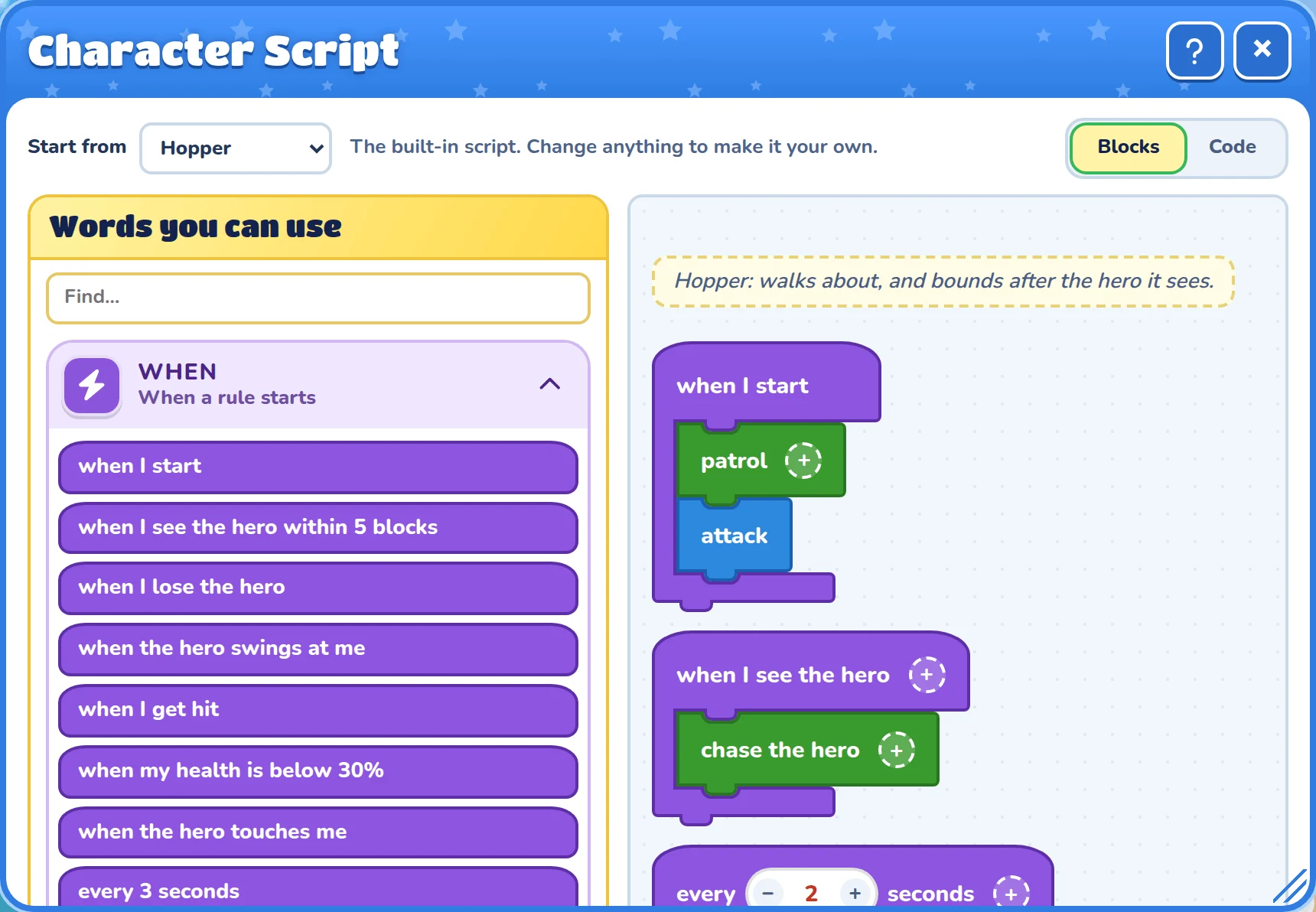
Words you can use sits on the left, sorted into drawers. Drag a word into your script, or click it to add it. Blocks and Code at the top right switch how the script shows. Both show the same script, so you can switch whenever you like.
New to scripts? Start with blocks. Switch to code now and then to see how the same script is written.
It forgives slips
You don’t need perfect spelling. When there’s only one thing you could have meant, the line still works, and a note under the script says how it was read. One click fixes the line for you.
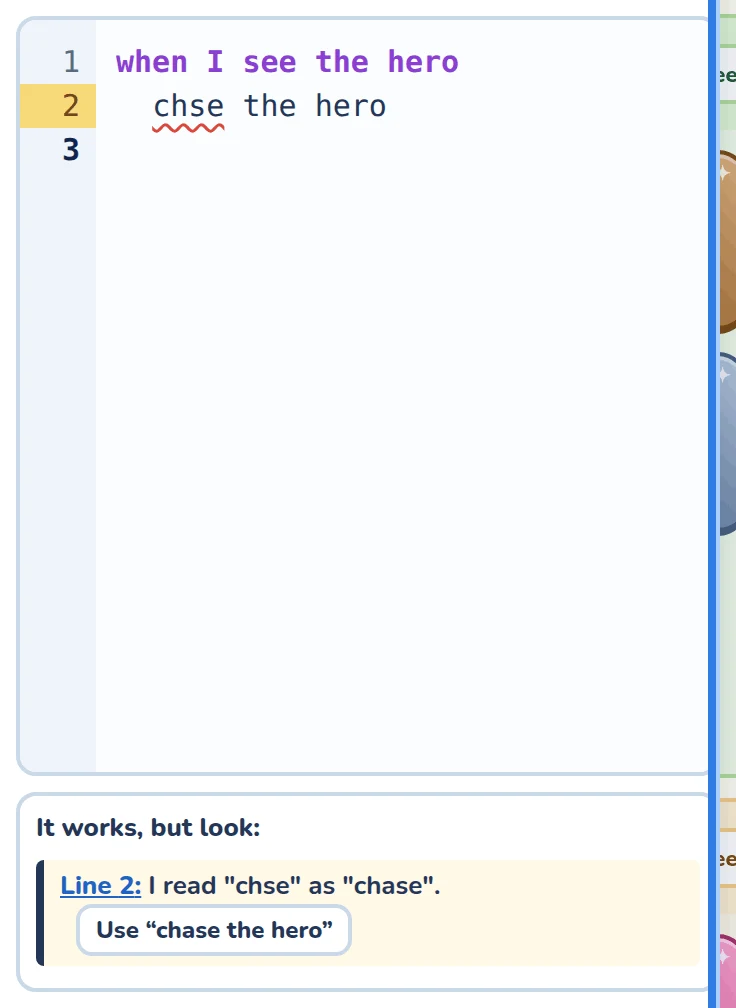
The notes come in three colours:
| Note | What it means |
|---|---|
| Yellow | A slip, but the line still works. |
| Red | The game can’t tell what you meant, so it skips the line. |
| Grey | A tip about something that might trip you up later. |
Stuck? Type what you want into Ask Cooper at the bottom of the window, like “make the enemy run away when it gets hit”, and Cooper changes the script for you.
Build a quest: the baker’s golden key
Now let’s make something bigger. The baker has lost the key to the bakery, and the hero has to find it. Along the way, you’ll use three big ideas: IDs, @variables, and questions.
You’ll need an Adventure game. Any world works.
Step 1: Set the scene
Put down three things with the builder:
| Put down | Then, in its Object settings |
|---|---|
| A villager | Type Baker in the ID box, in the Character and scripts drawer. |
| A key | Change its Key ID to Gold key. Hide it somewhere tricky. |
| A house door | Lock it with the Lock brush, and leave Opens with on No key yet. Call it Bakery door in Door id. |
An ID is a name a script can point at, written in curly braces, like
{Gold key}. Here’s the baker getting theirs:
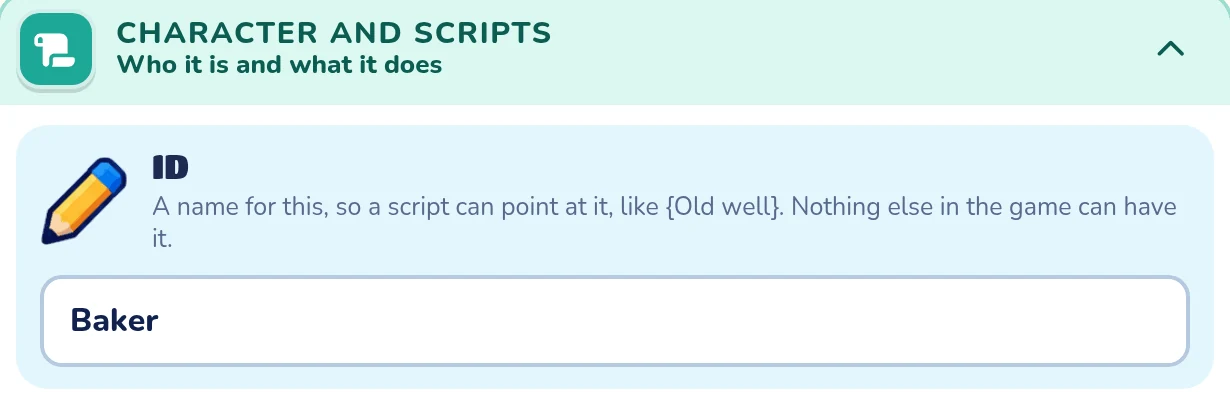
Leaving the door on No key yet means no key can open it. Only a script can, so the hero has to finish the quest first.
Step 2: Say hello
Open the baker’s Character scripting window, and start small:
when the {Hero} talks to me
  say "Hello! Welcome to my bakery."
Press Play and walk up to the baker. They say hello. That’s a whole script!
Step 3: Ask for help
Now the baker should ask the hero for help, and remember the answer. A
@variable remembers things. Its name starts with @, like
@baker_asked.
when the {Hero} talks to me
  if @baker_asked
    say "Any luck? I was by the pond this morning."
  else
    @baker_asked is the answer to "I lost my golden key! Will you find it?" with yes or no
    if @baker_asked
      say "Thank you! Try near the pond."
    else
      say "Oh dear. Come back if you change your mind."
    end
  end
The answer to line shows the question with a Yes and a No button,
and puts the hero’s answer in @baker_asked. Next time the hero comes by,
if @baker_asked checks it. If the hero said yes, the baker doesn’t ask
again.
if picks which lines run, and else is what happens otherwise. end
closes the if.
Step 4: Bring back the key
Last of all, the baker checks whether the hero has the key, says thank you, and pays them. Here’s the whole script. Try it: talk to the baker, pick up the key, then talk to the baker again. The key is off to the top right, so press the − button under the game to zoom out and see it.
the {Hero} has the {Gold key} is true when the hero carries the key with
that ID. Then @baker_done is yes remembers that the quest is finished, so
the baker says something new from then on.
Step 5: Open the bakery
A character can’t open doors on its own, but a level script can. Level scripts run for the whole world or room, and they can point at anything with an ID. Open Level script at the bottom of the world’s Map settings:
when any {Heroes} picks up the {Gold key}
  show "A golden key! Take it back to the baker."

when @baker_done is yes
  unlock the {Bakery door}
  play the sound "Fanfare"
  show "The bakery is open!"
The first rule cheers the hero on when they find the key. The second waits
for the baker’s @baker_done, then unlocks the door with a fanfare.
@variables are shared by every script in the game, so the level script can
read what the baker’s script wrote.
Press Play and try your quest from the start. You made that!
Make it your own
Here are some ideas to try next:
- Put a treasure inside the bakery, or a door to a hidden world.
- Make the baker ask for something else, like three apples.
- Give an enemy a script that guards the key.
- Add a second villager who gives the hero a clue.
Where to learn more
The Splat Script help has every word Splat Script knows, and lots of recipes to copy. Want to play with a script without building a game first? Try the Script Playground.
We can’t wait to see what your characters get up to.